Best Guns Addon
- Yesterday, 07:39
- 35

Best Guns Addon - Trade the Swords for Heavy Artillery
Let's be real, spam-clicking a diamond sword until your mouse breaks gets old really fast. If your server is still stuck in the stone age, dropping this weapons pack into your loadout is going to violently wake up the chat. We are trading basic arrows for actual heavy ballistics here. The second you pull out a fully loaded rifle and start shredding a zombie horde, the vanilla combat system feels instantly obsolete. It changes the whole dynamic of base defense when you can hold a roof angle and beam creepers before they even get close to your doors. Your late-night sessions go from a chill mining grind to a chaotic extraction shooter the moment the first shot goes off.
Getting hit registration to actually work with firearms in this engine is notoriously rough, but this creator somehow dialed it in perfectly. That smooth performance is exactly why this ranks stupidly high up on the list of best Minecraft Bedrock weapon mods. If you run a sweaty faction server, swapping to this arsenal means you actually have to play cover and check your corners instead of just W-keying into a fight. It flips the competitive meta on its head, easily making it one of the best Minecraft Bedrock PvP addons for anyone tired of the same old shield-block duels. Plus, if your group is setting up a gritty zombie survival series, tossing modern loot into the chests provides the exact top multiplayer roleplay content you need to make the apocalypse feel legit and high-stakes.
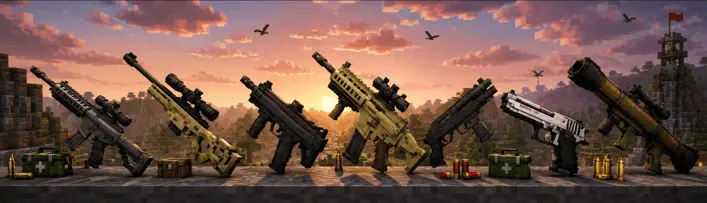
Nobody wants to spend an hour messing with experimental toggles just to shoot a virtual gun. Getting this armed and ready is stupidly simple. Just grab the custom MCPE addon download, slap it onto your active realm, and start distributing the ammo crates to your faction. Tell your squad to gear up, pick a loadout, and get ready to actually rely on your aim for once.
Installation guile:
- Download file Addon;
- Use minecraft
- Open the downloaded file to install;
- Activate the settings;
- Play with the new mod!
Comments (0)